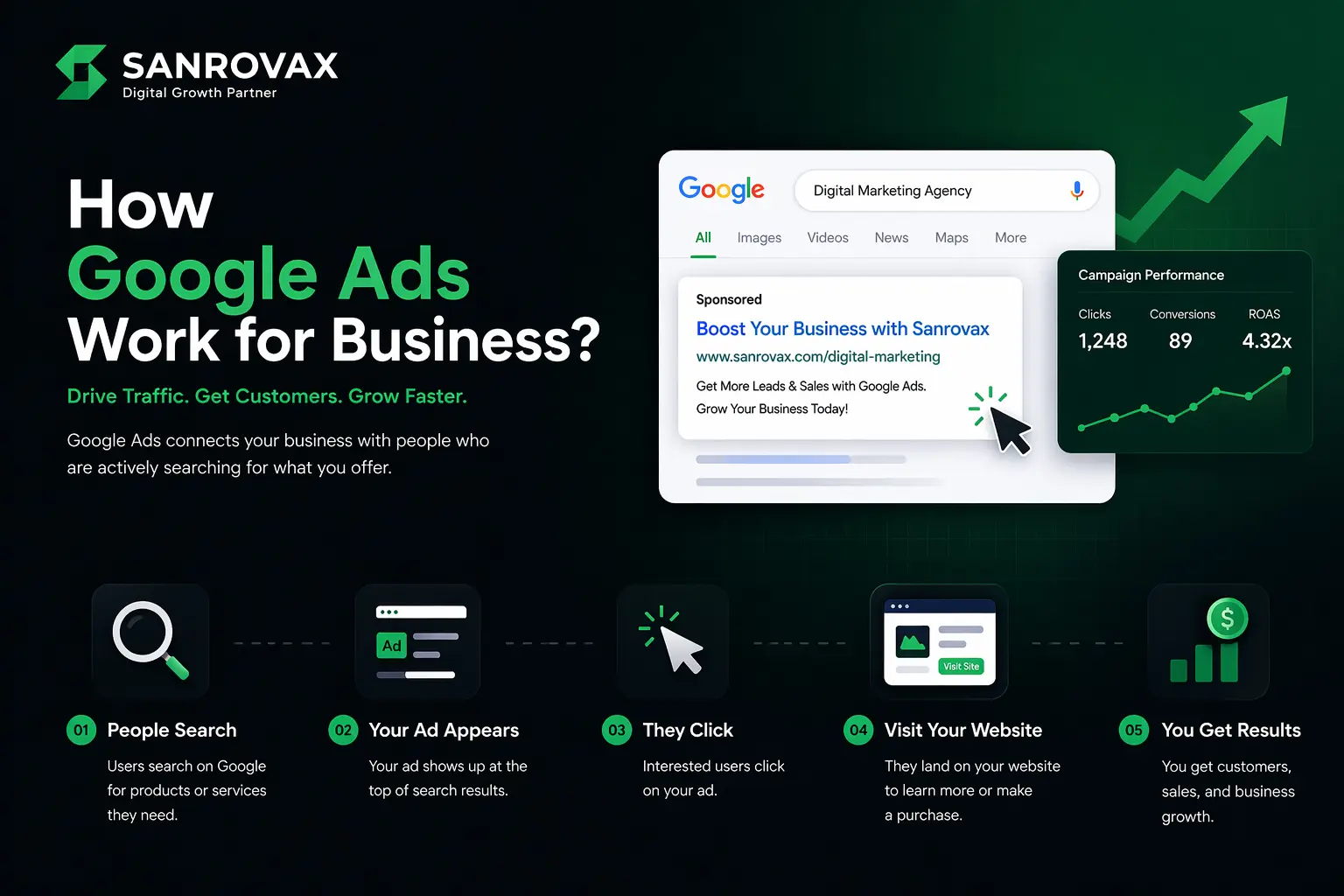
By Sandip Sahani — Founder, Sanrovax | Performance Marketing & Growth Systems
If you want to understand how Google ads work for business in 2026, this guide is going to give you the clearest, most practical breakdown you will find anywhere. No jargon. No theory. Just the system that turns search traffic into real customers.
Introduction — Why Every Business Owner Needs Google Ads in 2026
Let me give you a number that should change how you think about advertising.
Businesses earn an average of $2 for every $1 they spend on Google Ads — a 200% return on investment. And for optimized campaigns in industries like e-commerce, manufacturing, and SaaS, that number can climb to $8 returned for every $1 spent. That is an 8:1 ROI on a platform you can scale to almost any budget.
Here is why that matters. Google handles over 16.4 billion searches every single day. It controls nearly 90% of the global search engine market. More than 1.2 million businesses are actively running Google Ads right now — from local clinics to global enterprises. Google generated $321 billion in advertising revenue in 2026, with Performance Max campaigns and AI-driven automation pushing results higher than ever.
But here is the part most business owners miss. Unlike social media ads where you interrupt people scrolling through cat videos, Google Ads catch people at the exact moment they are searching for what you sell. Someone typing “best dental clinic in Kolkata” or “buy bridal lehenga online” is not browsing — they are buying. And you can be the first thing they see.
The opportunity is massive. But so is the cost of doing it wrong. Google Ads has the highest cost-per-click of any major ad platform in 2026 (averaging $2.69 globally), which means amateur campaigns burn money fast. Businesses using Smart Bidding, first-party data, and responsive search ads see ROI of 9.4:1. Businesses still running manual campaigns? Their ROI has dropped to 5.7:1.
The gap between good and bad Google Ads management is wider than ever. This guide will show you exactly how the system works — and how to make it work for you.
How Google Ads Work for Business — Setup and System Explained
Before we talk about strategy, let us get clear on the fundamentals. Understanding how Google ads work for business comes down to three things: the auction, the campaign types, and the setup process.
The Google Ads Auction — Catching Buyers at the Right Moment
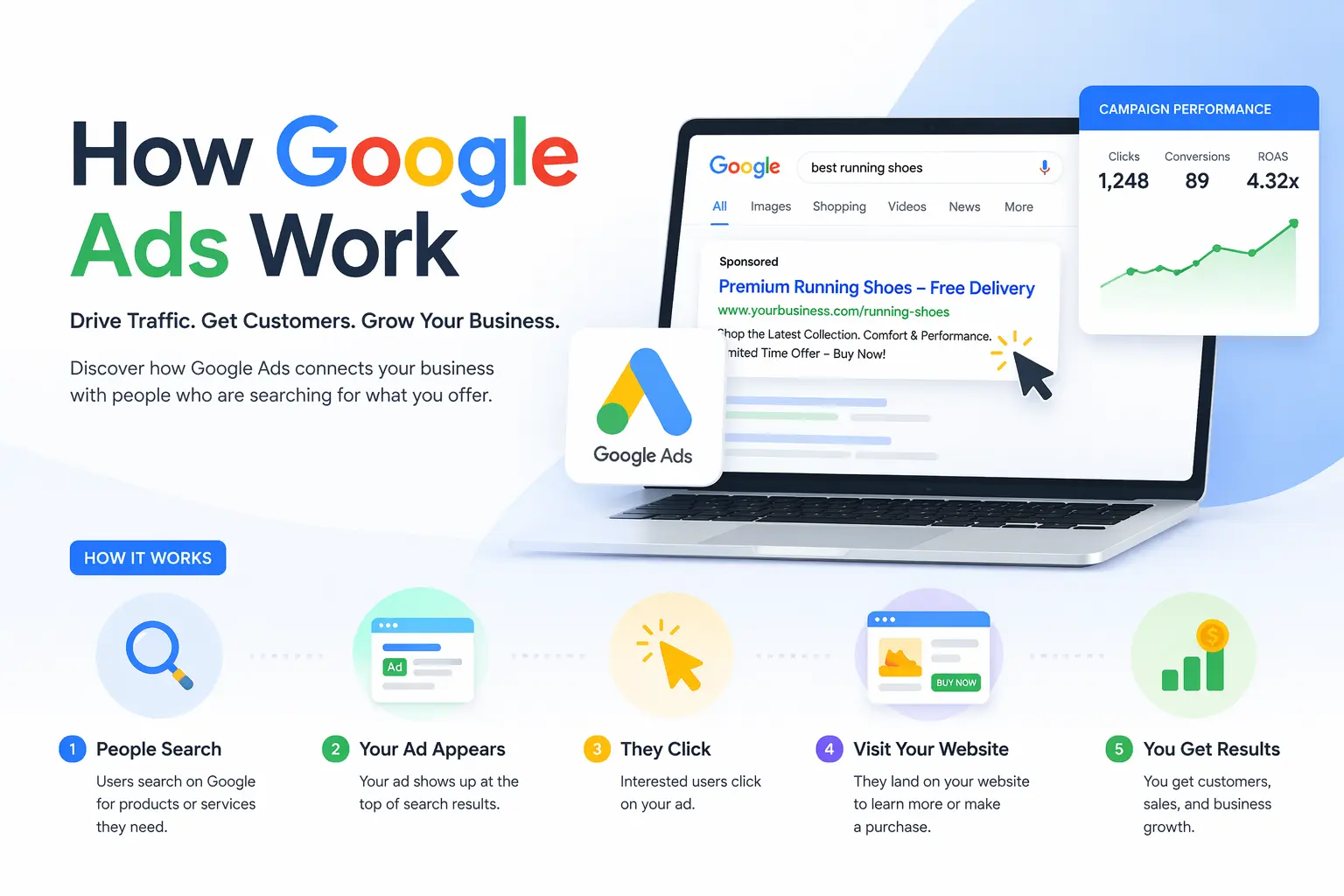
Google Ads runs on an auction-based system — but unlike traditional auctions, the highest bidder does not always win. Every time someone types a search query, Google holds a real-time auction in milliseconds to decide which ads appear and in what order.
Google considers three things:
1. Your Bid — How much you are willing to pay per click. 2. Quality Score — A 1–10 rating based on your ad relevance, expected click-through rate, and landing page experience. 3. Ad Rank — A combination of your bid, Quality Score, and ad extensions.
This means a small business with great ad copy and a strong landing page can outrank a massive competitor paying double. Google rewards relevance, not just spending power.
The Main Google Ads Campaign Types
Google offers several campaign types, each designed for a specific business goal:
Search Ads — Text ads that appear at the top of Google search results. Best for capturing high-intent buyers actively searching for your product or service.
Performance Max (PMax) — Google’s AI-driven campaign that runs across all Google properties (Search, YouTube, Display, Gmail, Maps, Discover) in one campaign. Over 80% of advertisers now use AI-driven campaigns like PMax for better automation and reach.
Shopping Ads — Product listings with images, prices, and store info. Shopping Ads drive 85.3% of all retail clicks on Google and dominate e-commerce searches.
Display Ads — Visual banner ads shown across millions of partner websites and apps in the Google Display Network.
YouTube Ads — Video ads shown before, during, or alongside YouTube content. Perfect for awareness and consideration.
Local Ads — For businesses targeting customers nearby — clinics, restaurants, salons, and retail stores.
The Setup Process — Step by Step
Step 1: Create a Google Ads account at ads.google.com using your business Gmail.
Step 2: Set your billing currency, timezone, and country (these cannot be changed later).
Step 3: Install Google Tag (gtag.js) on your website to track conversions accurately.
Step 4: Set up conversion actions — purchases, form fills, calls, sign-ups — so Google knows what success looks like for your business.
Step 5: Create your first campaign: choose objective → choose campaign type → set your daily budget → define audience and locations → write your ad copy → publish.
Step 6: Let Google’s machine learning collect data for at least 7–14 days before making major changes.
That is the foundation. Done correctly, every campaign you run from here builds on a stronger base — and Google’s AI gets smarter with every conversion.
What to Keep in Mind When Running Google Ads
1. Match Keywords to Buyer Intent
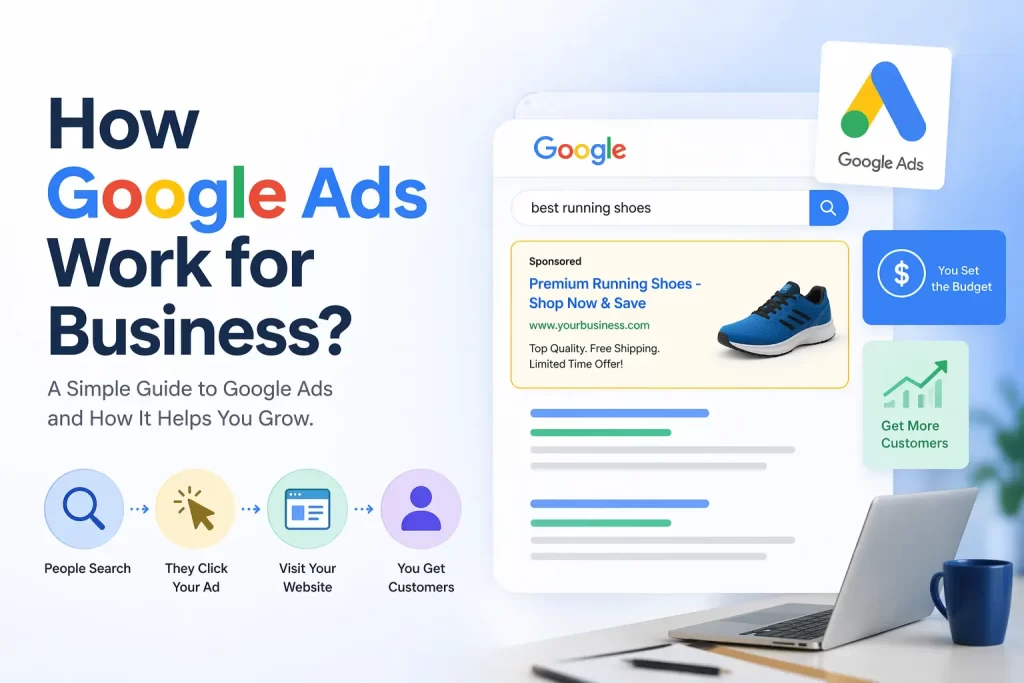
The best Google Ads campaigns target keywords with clear buying intent — words like “buy,” “best,” “near me,” “price,” “book,” and “hire.” High-intent keywords cost more per click but convert at much higher rates.
2. Use Negative Keywords Aggressively
Negative keywords stop your ad from showing for irrelevant searches. If you sell luxury watches, add “free,” “cheap,” and “DIY” as negatives. This single step can save 20–30% of your budget on wasted clicks.
3. Optimize Your Landing Page
Google scores your landing page as part of Quality Score. A slow, irrelevant, or confusing page increases your CPC and reduces your ad rank. Always send ad traffic to a dedicated landing page that matches your ad’s promise — never your homepage.
4. Set Up Conversion Tracking Properly
Without conversion tracking, Google’s algorithm has no idea what success looks like. Set up Google Tag, define your conversion actions, and verify they are firing correctly using Google Tag Assistant before launching.
5. Use Smart Bidding (But Feed It Data First)
Smart Bidding strategies like Target CPA and Maximize Conversions outperform manual bidding by a wide margin in 2026 — accounts using Smart Bidding see ROI of 9.4:1 versus 5.7:1 for manual. But Smart Bidding needs at least 30+ conversions per month to work effectively.
6. Optimize for Mobile First
63% of all Google Ads clicks come from smartphones. Your landing pages must load in under 3 seconds on mobile and be fully responsive. Mobile-friendly Google Ads boost brand awareness by 46%.
7. Track the Right Metrics
Stop obsessing over impressions and clicks. Track Cost Per Lead (CPL), Cost Per Acquisition (CPA), Return on Ad Spend (ROAS), and Conversion Rate. These are the metrics that decide whether your campaigns are profitable.
8. Use Ad Extensions
Sitelinks, callouts, structured snippets, call extensions, and location extensions make your ad take up more real estate on the search results page — boosting CTR by up to 15% without spending more.
What NOT to Do When Running Google Ads
1. Do Not Use Broad Match Without Negatives
Broad match keywords trigger your ads for almost any related search — including completely irrelevant ones. Always pair broad match with a strong negative keyword list, or stick to phrase match and exact match for tighter control.
2. Do Not Send Traffic to Your Homepage
Your homepage was built for browsers, not buyers. Always create dedicated landing pages that match your ad’s specific offer.
3. Do Not Skip Conversion Tracking
Running Google Ads without conversion tracking is like driving blindfolded. You will spend money but never know what works.
4. Do Not Set It and Forget It
Google Ads campaigns need weekly optimization. Search terms change, competitors enter the auction, and ad copy fatigues. Review your campaigns at least once a week.
5. Do Not Ignore Quality Score
A low Quality Score means you pay more per click for worse positions. Always work to improve ad relevance, expected CTR, and landing page experience.
6. Do Not Bid on Branded Keywords Only
Branded campaigns are cheap and convert well — but they only capture people who already know you. Real growth comes from non-branded, intent-based keywords.
7. Do Not Panic-Edit Smart Bidding Campaigns
Smart Bidding needs 7–14 days to learn. If you constantly adjust target CPA or pause campaigns, you reset the learning phase and waste your data.
8. Do Not Copy a Competitor’s Strategy Blindly
Your business has different margins, conversion rates, and customer lifetime values than your competitors. What works for them may bankrupt you. Build a strategy based on your own numbers.
How Sanrovax Helps Businesses Generate Revenue with Google Ads
At Sanrovax, we treat Google Ads as a revenue engineering system, not a media buying activity.
Every engagement starts with a deep dive into your business model — your margins, your customer journey, your average order value, and your true cost of acquisition. Only after we understand the numbers do we touch Google Ads Manager. This approach is what separates campaigns that generate predictable revenue from campaigns that just generate clicks.
We build the complete technical foundation: Google Ads account setup with proper conversion tracking, Google Tag installation, enhanced conversions for accurate attribution, and Google Analytics 4 integration for full-funnel visibility. Then we architect campaigns around your actual business goals — whether that is qualified leads, e-commerce sales, booked appointments, or local store visits.
Our approach combines high-intent keyword research, conversion-optimized landing pages, scroll-stopping ad copy, and Smart Bidding strategies that compound over time. We optimize weekly, test new creative angles continuously, and refine targeting based on real conversion data — not assumptions.
Whether you are launching your first Google Ads campaign or scaling a serious media budget, we build systems designed to deliver measurable revenue growth — not just impressions.
FAQ — How Google Ads Work for Business
Q1: How much does Google Ads cost in 2026?
The average cost per click globally is around $2.69, but this varies heavily by industry. Legal keywords average $9.21 per click, while travel and entertainment can cost as low as $1.60–$2.12. Small businesses typically spend ₹15,000–₹50,000 per month, while mid-sized brands invest ₹50,000–₹2,00,000+ monthly.
Q2: Are Google Ads better than Facebook Ads?
Both serve different purposes. Google Ads has a median ROAS of 3.52 versus Facebook’s 2.21 — making Google better for high-intent, bottom-funnel campaigns. Facebook is better for awareness and retargeting at lower costs. The best strategy uses both together.
Q3: How long does it take to see results from Google Ads?
Search campaigns can deliver results within 7–14 days if conversion tracking is set up correctly. Performance Max and Smart Bidding campaigns need 14–30 days to fully optimize. Patience is critical — most businesses kill campaigns too early.
Q4: Do I need a website to run Google Ads?
Yes, for most campaign types. However, Local Ads and Call-Only Ads can drive phone calls without a website. For long-term success, a fast, mobile-optimized website with proper conversion tracking is essential.
Q5: What is the best Google Ads campaign type for small businesses?
For most small businesses, Search Ads with high-intent keywords deliver the fastest, most predictable results. E-commerce brands should prioritize Shopping Ads and Performance Max. Local businesses should focus on Local Services Ads and Search.
Q6: Can I run Google Ads myself or should I hire an expert?
You can technically run Google Ads yourself — but the gap between expert-managed and self-managed accounts is wider than ever in 2026. Professional management typically improves campaign performance by 20–30% or more, easily covering the management cost.
Conclusion — Stop Guessing, Start Converting
Now you understand how Google ads work for business better than 90% of business owners running campaigns right now. You know the auction system, the campaign types, the setup process, the metrics that matter, and the mistakes that burn budgets.
But knowing is not the same as doing.
The businesses winning on Google Ads in 2026 are not the ones with the biggest budgets. They are the ones with the clearest strategy, the cleanest tracking, the best landing pages, and the discipline to optimize every single week. Google’s AI is smarter than any media buyer in history — but it still needs a human who knows what real business results look like.
That is exactly what we do at Sanrovax. Every engagement starts with one simple question: what does a real result actually look like for your business? Not impressions. Not clicks. Real revenue. Real customers. Real growth.
If you are ready to stop guessing and start building a Google Ads system that compounds every month, let us talk.
Book Your Free 30-Minute Strategy Call → sanrovax.com
No pressure. No pitch. Just a clear, honest conversation about your business.
Sandip Sahani — Founder, Sanrovax Performance Marketing & Growth Systems | Halisahar, West Bengal, India sandip@sanrovax.com
16 thoughts on “How Google Ads Work for Business — Step by Step Guide (2026)”