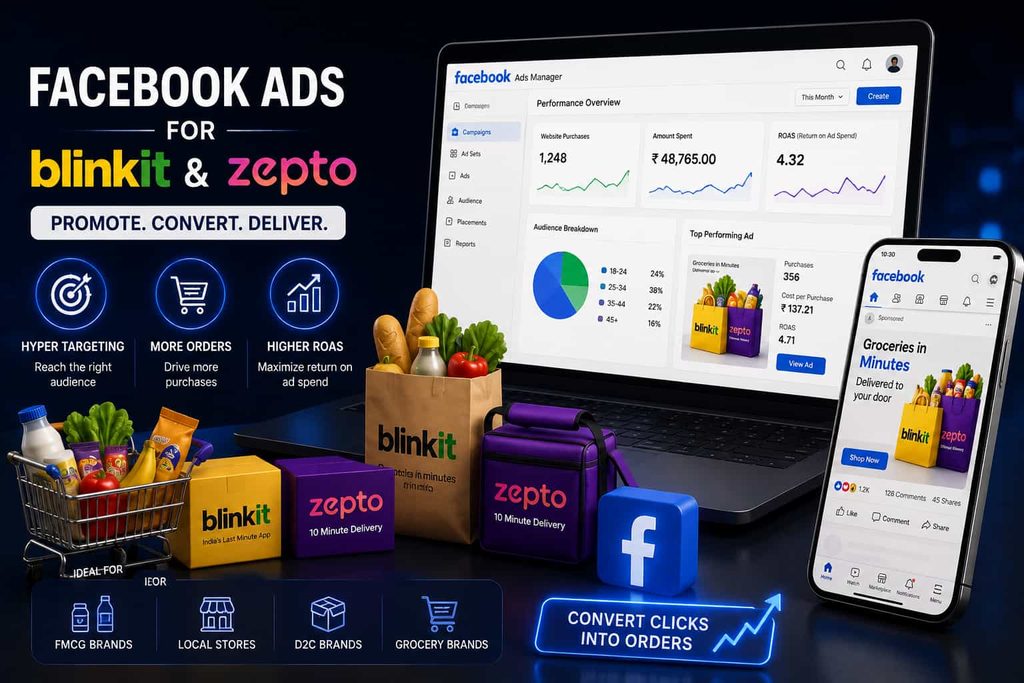
If you want to know how to run Facebook Ads for Blinkit and Zepto products, the good news is that Meta has already built exactly this into its platform, most brands just do not know it exists yet. The official name is Meta Collaborative Ads, sometimes called CPAS, and it lets a registered seller on Zepto, Blinkit, or Swiggy Instamart show Facebook and Instagram ads that pull real time product and pricing data straight from that platform. Britannia used this exact setup and cut its Cost Per Purchase by forty five percent. This guide walks through the complete process, from finding your brand in the Meta Retail Directory to launching your first live campaign.
THE BASICS
What Are Meta Collaborative Ads
Meta Collaborative Ads, officially called Collaborative Ads for Partner Sales or CPAS, connect a brand’s Facebook and Instagram ad account directly to a retail partner’s live product catalog. Instead of manually uploading product images and prices, the ad automatically syncs with real time inventory from Zepto, Blinkit, or Instamart.
This matters enormously for quick commerce, where stock, pricing, and even delivery windows change constantly. A standard Facebook ad showing outdated stock or pricing damages trust and wastes spend. Collaborative Ads solve this by keeping the ad content accurate at the exact moment someone actually sees it.
STEP BY STEP SETUP
Step by Step Setup Process
Go to Meta’s Retail Directory and search for your own brand name. This directory lists which quick commerce and retail platforms your products are already registered to sell on.
Choose the specific platform, Zepto, Blinkit, or Swiggy Instamart, where your brand is already an active seller. You will be asked to submit basic brand and account details for verification.
Fill in the requested information accurately, including your registered seller account details on that platform, since this is what the platform uses to match and verify your catalog.
Once approved, the quick commerce platform shares your product SKU data with Meta, which becomes the live catalog your future ads will pull from automatically.
Go into the Business Manager you used to apply, and set up a new, dedicated ad account specifically for this Collaborative Ads campaign.
Inside this new ad account, you will now see a Collaborative Ads option available. Select it, and your synced product catalog from the platform will already be connected.
Build your campaign using the synced catalog, targeting people likely to order from Zepto, Blinkit, or Instamart in your delivery zones, and launch.
REAL RESULTS
Real Results: The Britannia Case Study
According to <a href=”https://about.fb.com/news/2025/12/how-metas-collaborative-ads-are-fueling-quick-commerce-boom-in-india/” target=”_blank” rel=”noopener”>Meta’s own newsroom coverage of this rollout</a>, Britannia built a full funnel Collaborative Ads strategy combining dynamic product ads with real time retailer data across Blinkit, Swiggy Instamart, and Zepto. The results were substantial, a forty five percent reduction in Cost Per Purchase quarter on quarter, ROAS improving from 0.6 to 1.0, and select campaigns reaching as high as 5x ROAS with sixty percent lower Cost Per Purchase.
Britannia’s results were not driven by a bigger budget, they came from connecting real time inventory data directly to the ad itself. This is the actual mechanism that makes Meta Collaborative Ads outperform standard Facebook campaigns for quick commerce brands.
IS THIS FOR YOU
Which Brands Should Use This
This setup only works for brands that meet two conditions. First, you must already be an active, registered seller on Zepto, Blinkit, or Swiggy Instamart, since Collaborative Ads sync from an existing catalog rather than creating one. Second, your catalog on that platform needs to be well maintained, with accurate pricing and consistent stock, since a poorly managed catalog will simply produce a poorly performing ad.
FMCG, grocery, personal care, and household categories see the strongest results, thanks to high repeat purchase behavior, though beauty and packaged food brands are increasingly using this format successfully too.
AVOID THESE
Common Setup Mistakes
| Don’t Do | Do |
| Applying before your catalog is fully live on the platform | Confirm your products are actively listed and in stock before applying through the Retail Directory |
| Creating the ad account before receiving SKU access | Wait for platform confirmation before setting up your Collaborative Ads account |
| Ignoring catalog quality issues | Fix pricing errors and out of stock SKUs on the platform first, since the ad reflects this data automatically |
| Targeting audiences outside your delivery zones | Restrict targeting to areas where the quick commerce platform actually delivers |
| Running only cold prospecting campaigns | Combine prospecting with retargeting for people who viewed but did not purchase |
Check your product catalog on Zepto or Blinkit for accuracy before applying. Since Collaborative Ads pull live data automatically, any pricing or stock error on the platform shows up directly inside your Facebook ad without any manual review.
Expert Insight
Most brands are still running generic Facebook Ads for Blinkit and Zepto products, manually updating creative every time pricing changes. Meta Collaborative Ads remove that entire manual step, and that single change is often the real reason performance improves.
How Sanrovax Helps
Sanrovax helps quick commerce brands set up and manage Meta Collaborative Ads from start to finish, from Retail Directory registration through campaign launch and ongoing optimization.
Talk to SanrovaxFrequently Asked Questions
1. Zepto ya Blinkit ke customers ko Facebook pe ads kaise dikhaye?
You need to first register your brand inside Meta’s Retail Directory, select your quick commerce platform, and once approved, set up Collaborative Ads inside your Meta Business Manager account.
2. What are Meta Collaborative Ads?
Meta Collaborative Ads, officially called CPAS, allow a brand to run ads on Facebook and Instagram that pull real time product and inventory data directly from a retail partner like Zepto or Blinkit.
3. Kya mera brand already Zepto ya Blinkit pe registered hona chahiye isse pehle?
Yes, your brand must already be a registered seller on the quick commerce platform you want to advertise for, since Collaborative Ads work by syncing your existing product catalog from that platform.
4. How long does it take to get approved for Meta Collaborative Ads?
Approval timelines vary by platform, but most brands receive SKU access and confirmation from Zepto, Blinkit, or Instamart within a few business days of applying through the Meta Retail Directory.
5. Collaborative Ads set up karne ke liye kaunsa Meta tool use hota hai?
Everything is set up inside Meta Business Manager, where you create a dedicated ad account and select the Collaborative Ads objective once your platform partnership is confirmed.
6. Is there a minimum budget required for Meta Collaborative Ads?
There is no fixed platform minimum, though most brands see meaningful results starting from a moderate monthly budget similar to standard Meta Ads campaigns.
7. Meta Collaborative Ads normal Facebook ads se alag kaise hai?
Unlike standard ads, Collaborative Ads automatically pull live pricing, stock availability, and product details directly from the retail partner, so the ad always reflects what is actually available for delivery.
8. What results have real brands seen using Meta Collaborative Ads for quick commerce?
Britannia’s documented campaign with Meta showed a forty five percent reduction in Cost Per Purchase and ROAS improving from 0.6 to 1.0, with some campaigns reaching up to 5x ROAS.
9. Kya sab categories ke brands ye use kar sakte hai, ya sirf FMCG?
While FMCG and grocery brands see the strongest results due to high repeat purchase behavior, personal care, beauty, and household categories also perform well through this format.
10. Can a small D2C brand use Meta Collaborative Ads, or is it only for large brands?
Yes, any brand already listed on Zepto, Blinkit, or Instamart can apply, regardless of size, though a properly maintained product catalog on the retail platform is essential for the ads to work correctly.
Conclusion
Learning how to run Facebook Ads for Blinkit and Zepto products through Meta Collaborative Ads is less about creative or budget, and more about connecting your existing product catalog correctly. Brands that get this setup right, like Britannia, see meaningfully lower costs and higher returns without reinventing their entire ad strategy.
If you want help setting up Meta Collaborative Ads for your quick commerce brand, reach out directly.
Website: https://sanrovax.com Email: sandip@sanrovax.com
Key Statistics
Internal Links
- Meta Ads Marketing
- Meta Ads Account Quality
- Meta Ads Account Quality
- Types of Meta Ads
- How to Set Up Meta Ads Step by Step
1 thought on “How to Run Facebook Ads for Blinkit and Zepto Products: The Proven Method Cutting Costs by 45%”